Ordering coffee
The barista asks a question that isn’t on any saved board. Conversation Mode, running on-device, suggests three full replies. One tap, a quick edit, and the answer is spoken before the queue notices a pause.
Communication · text-based AAC
Meet Folio AAC.
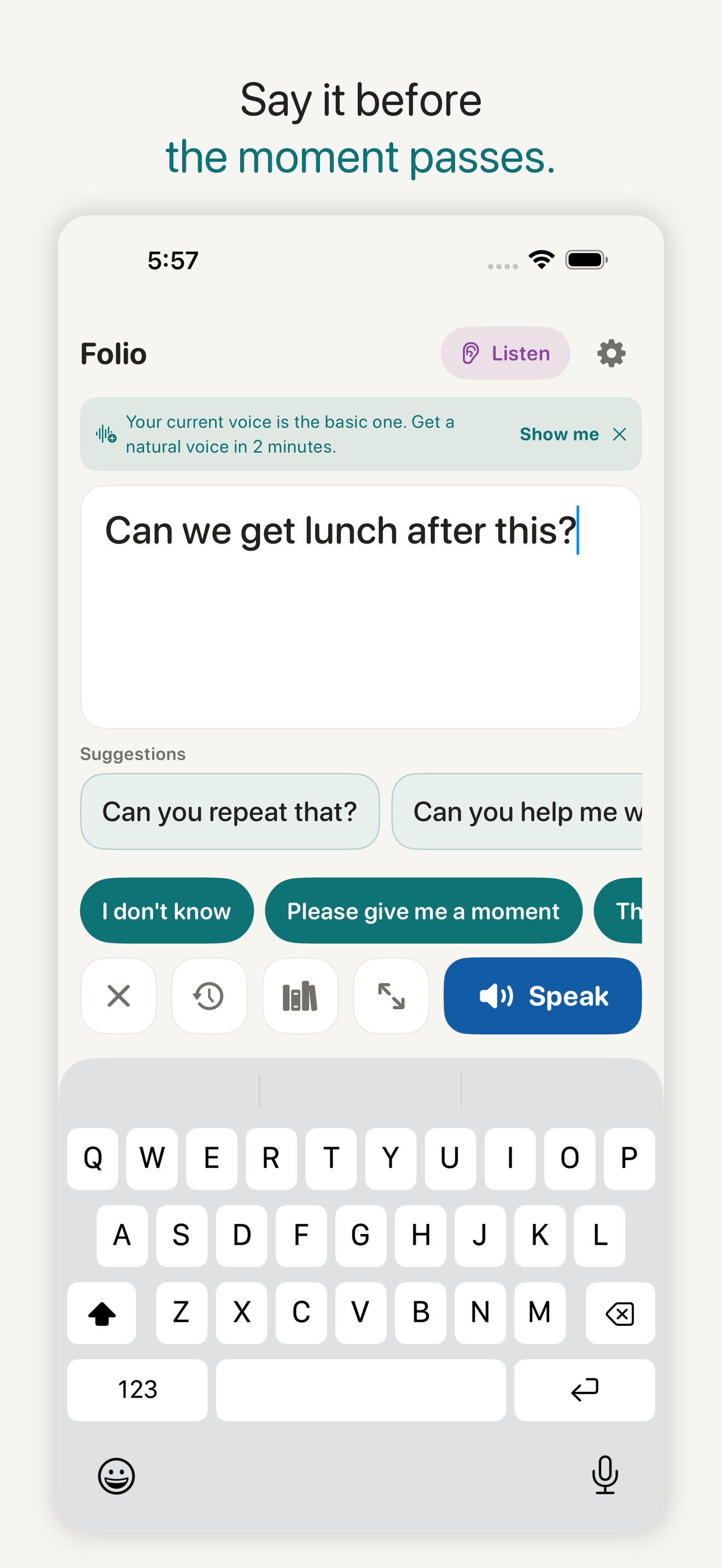
Folio AAC is a talker for people who type to speak. Type a message or tap a saved phrase and Folio says it in a natural voice — including your own Personal Voice. Calm, private, and fast enough for real conversation.
Free to use. Any optional upgrade is shown in the App Store before purchase.
What it does
How it works
Type a message, or tap a phrase you saved, and Folio speaks it aloud. Turn on Conversation Mode and Folio listens to the person you’re talking with — entirely on your device — and suggests full replies before you type; tap one to place it, edit it, speak it. You stay in control of every word: Folio never speaks or inserts anything you didn’t choose.
Who it’s for
For literate people who type to speak — autistic teens and adults, people with ALS or MND, cerebral palsy, apraxia, or aphasia after a stroke — and anyone nonspeaking or minimally speaking who prefers text. Most AAC apps are built for children; Folio is adult-respecting by default.
Accessibility built in
Switch access is built in: row-by-row scanning with auto or step modes, adjustable speed, spoken highlights, and selection by external switch or a tap anywhere. Tap targets and text scale up; high-contrast and dark themes included.
Built for real conversation
Folio listens to the person you’re talking with, entirely on your device, and suggests full replies you might want — before you type. Tap one to place it, edit it, speak it. You stay in control of every word: Folio never speaks or inserts anything you didn’t choose.
Save the phrases you actually use, organised in categories and your own topic boards — a “Doctor visit” page, a “Work” page. Colour-tag phrases for fast scanning; abbreviations expand as you type (“omw” becomes “I’m on my way”). Everything backs up to a file you own.
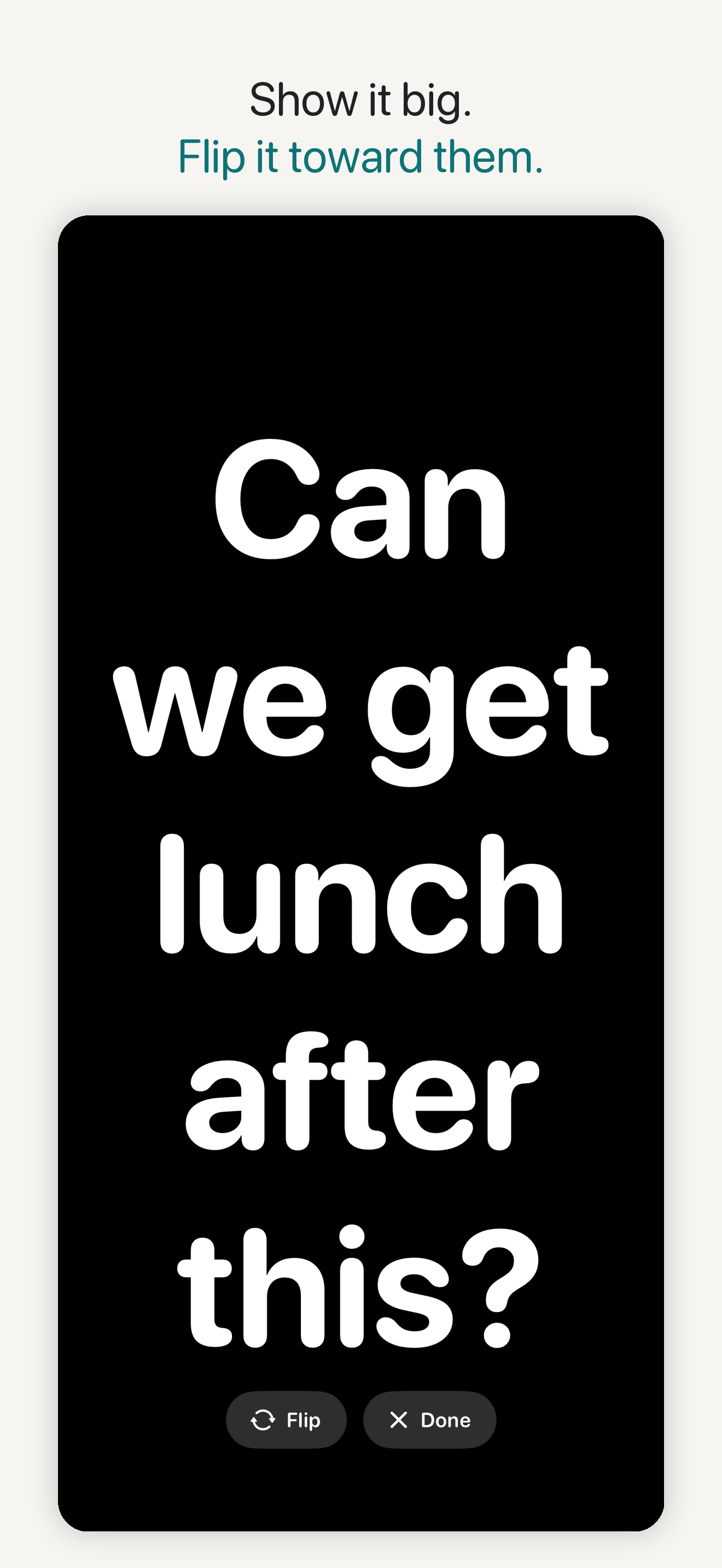
A fixed emergency button opens urgent phrases — “I need help now”, “I am choking”, “I need my medication” — that speak instantly and can be shown full-screen. Never buried, never editable, never behind a paywall.
Folio speaks in a natural voice — including your own Personal Voice, Apple’s accessibility feature, if you’ve created one on your device.
Folio’s own auto and step scanning covers Talk and Emergency, with adjustable timing and optional spoken highlights. Management screens work with iOS Switch Control. VoiceOver, Dynamic Type, high contrast, dark appearance and large touch targets are supported.
Speaking is free forever — even if Folio’s servers disappeared, your voice keeps working.
The privacy boundary, stated exactly
Typing, speaking, learning and Conversation Mode happen on your device. Folio does not upload audio, transcripts, drafts, messages, phrase history or suggestions to KindAbilities or KeenShift.
No Folio account, advertising, analytics SDK or remote conversation-prediction service. A PIN can lock Settings, and local backup files go only where the user chooses to save them.
A day with Folio
The barista asks a question that isn’t on any saved board. Conversation Mode, running on-device, suggests three full replies. One tap, a quick edit, and the answer is spoken before the queue notices a pause.
Living with ALS, she opens her “Doctor visit” board — the questions she prepared at home, colour-tagged, plus the emergency phrases fixed one tap away. Her words, at her speed, in her Personal Voice.
A student who types to speak answers a class question from a shared iPad. The teacher hears the answer. The draft, transcript and suggestions stay on that device.
In the classroom
The privacy construction is the feature IT will ask about first: Folio has no account or developer content service, and a PIN can lock Settings. The free tier includes starter phrases, 20 custom phrases, 2 topic boards and a daily allowance of Apple on-device model replies where supported — an honest trial scope for one student and one iPad.
Folio serves students who are nonspeaking or minimally speaking and who read and type. Boards start empty on purpose: a teacher or SLP will usually help build the first topic boards around the student’s actual day. It complements — never replaces — a clinical AAC evaluation.
Setting up a classroom? Start with the implementation guide for teachers and classrooms.
Procurement facts, each with an Apple citation: how schools get our apps.
Honest limits
A communication tool for people who read and type. It is not a symbol-based AAC app for pre-literate children, not a clinical AAC evaluation, and not a replacement for a speech-language pathologist where a family wants one. It does not diagnose or treat.
Questions, answered honestly
Folio AAC is free to use; any optional upgrade is shown in the App Store before purchase.